Metronome Beats
- 4.8
- Rating
- 10.00M
- Installs
- Free
- Price

 Analysis by App-foxy
I tend to judge a metronome by what happens when I need it quickly, not by how impressive its feature list looks. A useful one should help me start practicing within seconds, stay readable while I am playing, and offer enough flexibility for more than a single steady click. Metronome Beats, from Stonekick, fits that practical role well. It is a free Music & Audio app for Android, rated for Everyone, and its long presence on mobile makes it feel more like a dependable practice tool than a novelty.
My experience with it is strongest when I treat it as a compact rhythm workstation: I choose a tempo, listen for the pulse, and then use the additional tools when a simple click is not enough. The included drum machine and tempo trainer give it more range than the basic metronome apps that only provide a slider and a sound. That does not make it perfect for every musician, but it does make it easier to keep one app available for warm-ups, timing drills, instrument practice, and casual rhythm work.
How Metronome Beats fits into real practice
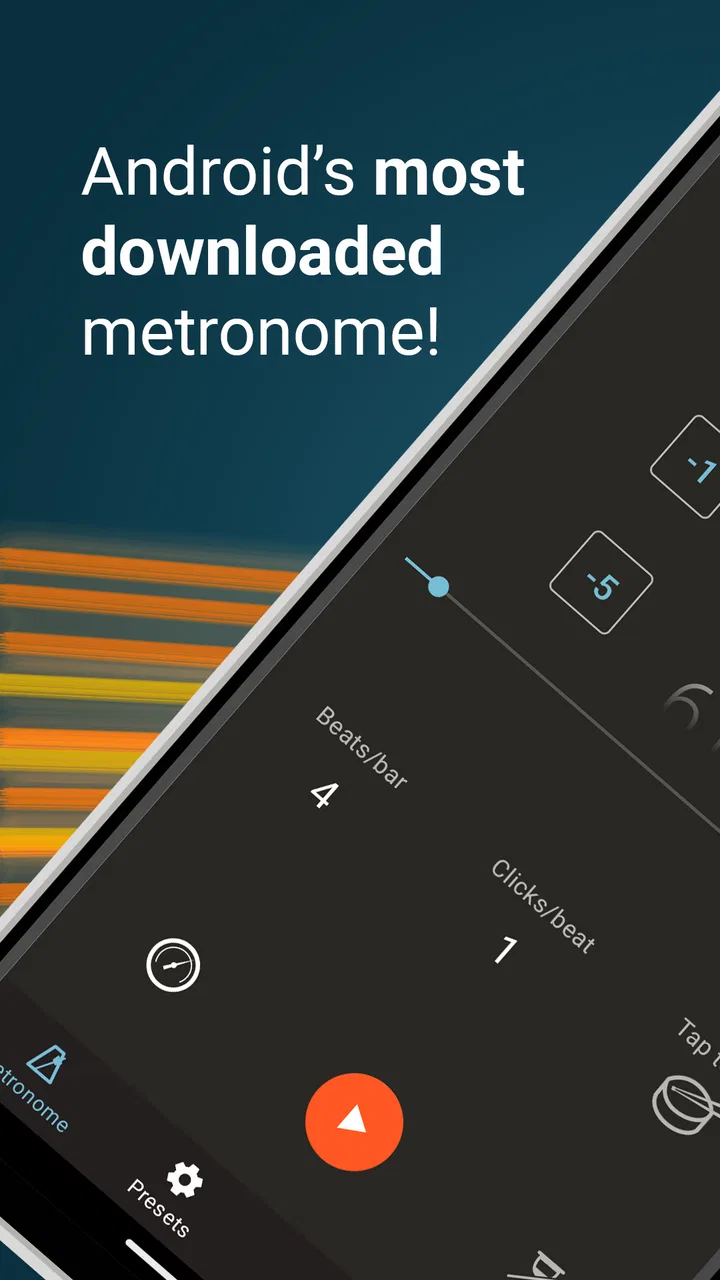
The interface is built around an obvious need: I should be able to recognize the current tempo and control it without hunting through menus. That matters on a phone, where a crowded screen can become a distraction while I am holding an instrument. In everyday use, the app makes the most sense for guitarists, pianists, singers, drummers, students, and anyone trying to make their internal timing more reliable.
You May Also Like

 Blood Strike: 2.5 Anniversary
Blood Strike’s Loadouts Turn Every Drop Into a Tactical Gamble
A close look at Blood Strike’s custom loadouts: how fast access to signature weapons reshapes its battle royale rhythm, rewards preparation, and narrows the gap between fights.

 Pandora - Music & Podcasts
Pandora’s Music Is Easy to Start, but Harder to Recover
Pandora’s strength is its low-effort path from a seed to a station. Its weak spot is how much confidence it asks you to place in connection, setup, and quiet recovery.

 8 Ball Pool
 Is Built on Rivalries, Rematches, and Routine
A close look at the rivalries, rematches, shared routines, and unanswered safety questions that turn a quick pool match into a persistent mobile community.

 Samsung Music
’s Quiet Strength Is Playing What You Already Own
Its reach comes less from spectacle than from dependable access to a personal library. That simplicity is both the app’s strongest retention engine and its ceiling.

 AccuWeather: Weather Radar
AccuWeather Review: A Quick, Clear Forecast for Everyday Decisions
For everyday plans, the best forecast is the one you can understand quickly. AccuWeather makes rain timing, radar, and local conditions easy to act on, with a few trade-offs.

 Hill Climb Racing
Why Hill Climb Racing Still Turns Crashes Into One More Run
A tiny car, a bumpy hill and one more upgrade: Hill Climb Racing keeps resurfacing because its simple chaos makes every near-miss feel personal.
More From Our News Desk
View All News


Its appeal is reflected in its scale. Metronome Beats has passed 10 million installs and holds a 4.8 average from around 181 thousand ratings, which is unusually strong visibility for such a focused utility. I would not treat popularity as proof that it suits every workflow, but it does suggest that the basic experience has worked for a broad range of mobile users.
Stonekick has kept the app in the mobile music space since its release on December 21, 2011. The current version is 7.1.4, and it requires Android 6.0 or later. That older device compatibility is useful if you keep a spare phone for practice or use an inexpensive handset rather than a current flagship. The app is free to start, with in-app purchases listed at $9.99 per item, so it is accessible before you decide whether its expanded capabilities are worth paying for.
What changes when the network is involved
Connectivity shapes the experience mostly before and around practice rather than during the musical act itself. If I am opening a metronome while traveling, at rehearsal, or in a room with unreliable reception, I do not want the core rhythm task to depend on a complicated online process. Metronome Beats is valuable because its purpose is immediate: select a tempo and play. I would still prepare anything I need before an important session instead of assuming that every part of the app experience will behave identically without a connection.
This is especially relevant when an app includes optional paid elements. A free download can be convenient, but account checks, store access, updates, or purchase restoration may require connectivity at some point. I would handle those steps at home, then avoid changing the setup immediately before a performance or lesson. That small habit reduces the chance of being interrupted by a sign-in, store, or update screen when all I really need is a steady beat.
For ordinary practice, the network is not the point of the product. I see it as a tool I can prepare in advance, not as a streaming service. That distinction is important for musicians who practice in basements, rehearsal rooms, trains, parks, or other places where mobile coverage is inconsistent. The sensible approach is to test the exact sounds and training settings you plan to use before leaving a reliable connection, rather than discovering a limitation in the middle of a session.
Using it on a phone while playing
A phone metronome has one unavoidable compromise: the same small device is both the control panel and the thing producing the pulse. I like the convenience, but I also have to position the phone carefully. If it is flat on a music stand, the display can be harder to read from a distance. If it is too close to the instrument, accidental touches become more likely. I get better results by setting the tempo first, placing the phone where I can glance at it, and then keeping my hands away from the screen.
One practical workflow is to use a slow tempo for the first pass, then increase the pace only after the difficult passage feels even. The tempo trainer is more useful here than a metronome that only lets me tap a new number manually. Rather than chasing speed, I can use the app as a checkpoint: play cleanly, raise the challenge, and return to the previous setting when tension or unevenness appears. That turns a vague goal such as “play faster” into a more controlled routine.
The drum machine is another reason I would choose this app over a bare click. A plain metronome is excellent for exposing timing problems, but its sound can become mentally tiring during longer sessions. A drum-oriented pattern can make groove practice feel closer to playing with another musician. I would use the simple click for scales, sight-reading, and precise subdivision work, then switch to the drum machine for strumming patterns, bass lines, or exercises where feel matters as much as mathematical accuracy.
There is a trade-off, though. A drum pattern can make practice more enjoyable while also making small timing errors less obvious. When I need to diagnose whether I am rushing a transition, I prefer the starkness of the metronome. When I want to work on consistency inside a musical phrase, I prefer the more natural movement of a beat. The right choice depends on whether I am measuring accuracy or building confidence.
A realistic daily scenario
Imagine I have fifteen minutes before leaving for work and want to practice a guitar chord change. I open the app, choose a comfortable tempo, and play the change only on selected beats rather than strumming continuously. After a few clean repetitions, I use the tempo trainer to make the exercise more demanding. If the movement falls apart, I step back instead of forcing the faster setting. The whole session can stay focused because I am not switching between a separate tuner-like utility, a rhythm app, and a backing track.
Later, during a longer evening session, I might use the drum machine for a repeating groove. I would first play along with the pattern, then mute or simplify my own part to check whether I am landing consistently. That second step is easy to overlook: a convincing groove can hide a player who is slightly late on every change. Alternating between a clear click and a fuller rhythm helps me hear both the mechanical and musical sides of timing.
Where recovery matters more than extra features
Practice tools are often used at inconvenient moments, so recovery matters. If I close the app accidentally, receive a call, or move from a quiet room to a noisy one, I want to get back to the exercise without rebuilding a complicated setup. Metronome Beats works best when I keep my routine simple: decide the target tempo before starting, note the next step mentally, and avoid changing several settings at once.
I also recommend a quick sound check before playing. Phone speakers vary, and a pulse that seems clear in a quiet bedroom may disappear beside a drum kit or in a busy rehearsal room. If the sound is too soft, the problem may be the environment rather than the tempo setting. In louder situations, I would use suitable headphones or an external audio setup if available, while remembering that any cable or wireless connection introduces its own practical failure point.
The most useful recovery habit is not technical; it is musical. If I lose the beat, I stop, listen for a few counts, and restart at a tempo I can actually control. Restarting at the same ambitious setting usually turns one mistake into several. The app can provide the pulse, but it cannot decide whether I am practicing productively. Its tempo trainer helps structure the challenge, yet my judgment still determines when to slow down.
Connectivity can complicate recovery around updates or purchases. I would not install an update moments before a lesson, and I would check any optional paid feature ahead of time rather than relying on a last-minute connection. Since the app has a free entry point, I can also keep my essential practice routine based on the basic experience and treat extras as optional rather than necessary for every session.
Data-conscious habits for a small music utility
A metronome should not need to dominate my phone usage. I use it in short, deliberate sessions, and that makes it easy to keep data consumption under control. I would download or update it over Wi-Fi, avoid browsing store pages while traveling, and prepare a preferred practice setup before heading somewhere with limited service. Those habits are less about the beat itself and more about preventing a small utility from becoming an unexpected source of mobile-data use.
I also prefer to keep the screen from becoming the center of the session. Once the tempo is selected, I place the phone where I can hear it and only look back when I need to change the exercise. This saves attention more effectively than any setting. For a beginner, constantly watching the number can create the illusion of control while the actual playing remains uneven. Listening to the pulse and feeling the subdivision should gradually become more important than staring at the display.
The free model is friendly for testing, but the paid items deserve a practical decision rather than an automatic purchase. I would first decide whether the drum machine or tempo-training workflow genuinely changes how I practice. If I only need a steady beat for occasional scales, a simpler free metronome may be enough. If I regularly alternate between precision drills and groove work, keeping those functions together can justify paying for the relevant option.
Compared with a physical metronome, the phone app is easier to carry and offers more variety, but it also competes with notifications, calls, battery concerns, and the temptation to check another app. A dedicated hardware metronome wins when I want a distraction-free object that does one job. Compared with a music-production app, Metronome Beats is quicker and less intimidating, though it is not the choice I would make for recording, arranging, or building a complete backing track.
Who should use it, and who should look elsewhere
I would recommend it to anyone who wants more than a single click but less complexity than a full digital audio workstation. Beginners can start with a straightforward pulse, while experienced players can use the tempo trainer to organize gradual speed work and the drum machine to explore feel. Teachers may also find the combination useful when a student needs both strict timing and a more musical practice environment.
I would be more cautious if you need a highly specialized professional metronome workflow, extensive recording tools, or a completely distraction-free device. In those cases, a dedicated hardware unit or a more advanced music app may be a better fit. The same is true if your priority is a large library of backing tracks rather than tempo control. Metronome Beats is focused, and its focus is a strength until your needs move beyond rhythm practice.
Its age rating of Everyone makes it approachable for a wide audience, but suitability still depends on the player. A child learning basic rhythm may appreciate the immediate feedback, while a touring musician may care more about dependable stage visibility and a setup that remains unchanged under pressure. I would test the display, sound, and handling in the exact environment where I plan to use it instead of judging it only from a quiet home session.
My connectivity verdict
Metronome Beats is at its best as a prepared, portable practice companion. The network matters for getting the app, keeping it current, and managing optional purchases, but the musical value comes from what I do once the phone is ready: choosing an honest tempo, listening carefully, and using the trainer or drum machine with a clear purpose. That makes it a sensible choice for mobile musicians who want flexibility without the weight of a full studio app.
I like that it can support several stages of practice: a bare pulse for accuracy, a gradual challenge for speed, and a fuller rhythm for groove. I also appreciate that the free starting point lets me discover whether those stages fit my habits before spending anything. The main limitations are the usual phone-related ones—screen size, distractions, speaker volume, and the need to prepare around connectivity—but none of them undermine its role when I use it thoughtfully.
After using it, my recommendation is straightforward: choose Metronome Beats if you want a compact rhythm tool that travels easily and can grow beyond basic clicking. Keep a simple routine, test the sound before leaving a reliable connection, and switch between the click and drum machine according to the skill you are training. The most valuable feature is not the number on the screen; it is the discipline of practicing against it.
For me, that balance makes it a strong free Music & Audio app, especially for everyday practice rather than studio production. Its 8.9 thousand reviews and broad user base are consistent with the impression I get from using it: this is a focused utility that earns its place on a musician’s phone by being useful at the moment timing starts to slip.
FAQs for Metronome Beats
01What is Metronome Beats and how does it work?
Metronome Beats is a versatile metronome app designed to assist musicians in maintaining a steady tempo during practice or performance. The app features adjustable tempos, time signatures, and subdivisions, making it suitable for various musical styles. Users can customize settings to match their specific needs, ensuring an effective practice session.
02Is Metronome Beats suitable for beginners?
Yes, Metronome Beats is ideal for beginners. The app features a user-friendly interface with straightforward controls, allowing new users to easily set their desired tempo and time signature. Additionally, it offers visual and audio cues to help beginners understand rhythm and timing more effectively.
03Can I use Metronome Beats without an internet connection?
Absolutely, Metronome Beats can be used offline. Once downloaded, all of its features are available without needing an internet connection. This makes it a reliable tool for musicians who practice in areas with limited connectivity or prefer to avoid distractions.
04Does Metronome Beats offer customization options?
Yes, Metronome Beats provides extensive customization options. Users can adjust the tempo, time signature, and choose from a variety of sound options. The app also allows users to create and save custom presets, making it easy to switch between different settings for various practice sessions or performances.
05Is Metronome Beats available on both Android and iOS devices?
Metronome Beats is available for both Android and iOS platforms. Users can download it from the Google Play Store for Android devices or the Apple App Store for iOS devices. It ensures a seamless experience across different devices, catering to a wide audience of musicians.
Pros
- User-friendly interface for easy navigation.
- Customizable tempo settings for precision.
- Visual and audio cues enhance practice.
- Tempo tap feature for quick adjustments.
- Works offline
- ideal for remote practice.
Cons
- Ads can be distracting during use.
- Limited advanced features for pros.
- No cloud sync for settings backup.
- Interface lacks modern design appeal.
- Free version has restricted features.

Metronome Beats
Gallery